Milliseconds That Matter: How Hidden Lag Is Wrecking Your Live Electronic Performances
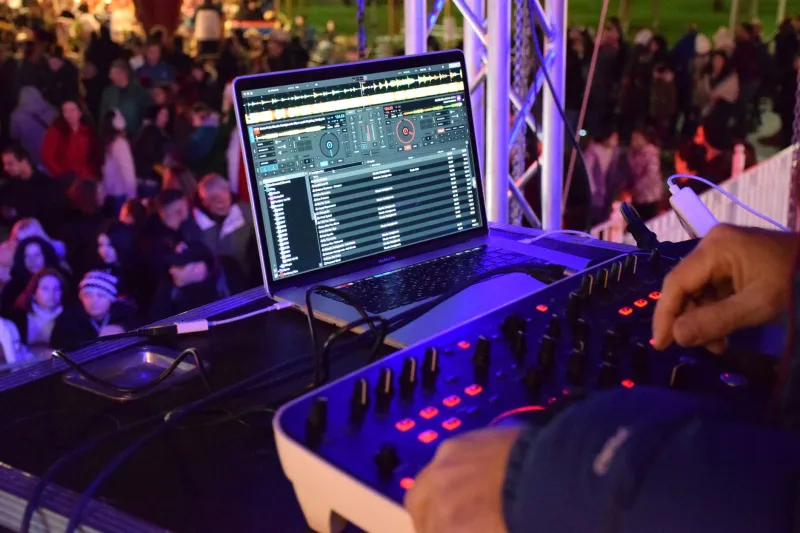
You've dialed in your patches. Your controller mappings are tight. You ran through the set twice the night before and it felt locked. Then you get up in front of an actual crowd, hit a pad, and something's wrong — not catastrophically wrong, but wrong enough. The kick lands late. Your filter sweep feels disconnected from your hands. You spend the rest of the set second-guessing every move instead of riding the energy of the room.
That's latency doing what it does best: ruining your night without ever announcing itself.
For bedroom producers stepping into live performance territory, latency is one of the least glamorous and most punishing technical realities out there. It doesn't show up on a spec sheet in bold. Gear demos never talk about it. But once you've felt it throw off your timing mid-set, you can't unfeel it.
What Latency Actually Is (And Where It Hides)
At its most basic, latency is the time gap between when you do something — hit a key, twist a knob, trigger a clip — and when you actually hear the result. In a studio context, a few milliseconds here and there is barely noticeable. In a live performance context, where you're reacting to a crowd and riding a groove in real time, even 10–15 milliseconds of delay can knock your internal clock sideways.
The tricky part is that latency doesn't come from one single place. It compounds across your entire signal chain. Your MIDI controller has a small delay. Your USB interface has one. Your DAW's audio buffer introduces more. The driver communication between your laptop and that interface adds another layer. And if you're running through a club's PA system rather than your own monitors, you might be stacking venue-level delay on top of all of that.
None of these individual delays are dramatic on their own. Stacked together, they can push your perceived response time into a range that actively fights against natural human rhythm.
The Buffer Size Problem Nobody Warned You About
If you've spent any time in your DAW's audio settings, you've seen the buffer size option — usually measured in samples (64, 128, 256, 512, and so on). This is where most producers make their first latency mistake.
High buffer sizes (512 samples and above) are great for recording and mixing because they reduce CPU strain and prevent dropouts. But for live performance, a 512-sample buffer at 44.1kHz translates to roughly 23 milliseconds of round-trip latency before you've even factored in the rest of your chain. That's enough to feel genuinely wrong when you're playing in real time.
The fix sounds simple: lower your buffer size. Drop it to 64 or 128 samples and your latency shrinks dramatically. The catch is that lower buffers demand more from your CPU, which means plugins start glitching, audio starts crackling, and suddenly your carefully built live set sounds like a dial-up connection.
This is the core tension that every live electronic performer has to solve before they step on a stage.
Measuring What You Can't Hear
Before you start tweaking anything, you need to actually know what your latency situation looks like. Guessing is how you end up making it worse.
A few tools worth knowing: LatencyMon (Windows) is a free diagnostic that identifies which system processes are causing real-time audio issues — it's blunt and useful. On Mac, the Core Audio driver stack is generally more optimized out of the box, but tools like AudioDeviceCheck can still surface problems. For a more hands-on measurement, you can use a loopback test: run an audio output back into an input, send a click, and measure the round-trip time in your DAW. It's low-tech but honest.
Once you have actual numbers, you can make decisions instead of just hoping.
Hardware That Actually Helps
If your current audio interface is a budget USB model you grabbed a few years back, that's worth examining. Not every interface handles low-latency performance equally. Interfaces that use ASIO drivers on Windows (rather than generic WDM drivers) tend to perform significantly better for live use. On the hardware side, brands like RME have built their reputation almost entirely on driver stability and low-latency performance — their gear is expensive, but the round-trip latency numbers are genuinely in a different league.
If a full interface upgrade isn't in the budget right now, there are intermediate moves. Dedicated audio interfaces over Thunderbolt rather than USB 2.0 can shave off meaningful milliseconds. Running a stripped-down laptop profile — background apps killed, Wi-Fi off, notifications silenced, power set to high performance — costs nothing and can make a real difference.
For MIDI specifically, if you're running a controller through a generic USB hub, try going direct to the laptop. Hubs introduce their own small delays, and in a chain where every millisecond counts, that matters.
Workflow Strategies for the Stage
Beyond the hardware side, how you structure your live set has a huge impact on how much latency actually affects your performance.
One approach that seasoned live electronic performers swear by: pre-render your most CPU-heavy elements. If you've got a dense effects chain on a synth patch that's hammering your processor, freeze or bounce that element to audio before the show. Free up the CPU headroom and you can run a lower buffer size without the dropout risk.
Another strategy is to think in terms of trigger vs. real-time control. Launching clips, firing samples, and switching patterns are all trigger actions — a few milliseconds of lag there is essentially imperceptible. Real-time parameter control (filter cutoffs, pitch bends, live effects manipulation) is where latency actually bites you. If you can structure your set so the most latency-sensitive moves are handled by your tightest hardware path, you reduce the problem significantly.
Some performers go further and pull certain elements completely out of the laptop. Running a hardware drum machine or a standalone synth in sync via MIDI clock means those sounds bypass your DAW's buffer entirely. Hybrid setups — part laptop, part hardware — have become the de facto standard for serious live electronic acts for exactly this reason.
The Mental Game
Here's something that doesn't get said enough: part of performing live with electronic gear is learning to internalize your specific setup's feel. A drummer playing live adjusts to the room's acoustics. A guitarist adjusts to stage monitoring. You adjust to your latency.
Once you've minimized lag through the technical steps, the remaining small delay becomes something you can actually account for. Producers who perform live regularly develop a slightly ahead-of-the-beat playing style that compensates naturally. It's not ideal, but it's real, and knowing that it's a learnable skill takes some of the pressure off.
The worst thing you can do is walk onto a stage having never stress-tested your rig at low buffer settings, with real CPU load, at performance volume. Your bedroom at low volume with nothing else running is not your performance environment. Simulate the real conditions before you're standing in front of one.
Get Tight Before You Get Out There
Latency isn't a problem you solve once and forget. Every new plugin, every OS update, every new piece of gear in your chain is a potential new variable. The producers who perform live consistently well aren't the ones with the most expensive rigs — they're the ones who've actually done the diagnostic work, know their numbers, and built their sets around what their hardware can actually deliver in real time.
Get a measurement. Drop that buffer. Offload your CPU hogs. And if you're serious about performing live, start thinking about what parts of your setup really need to live inside a laptop and what's better off running on its own.